Cardify - Mistake Scan
Scan mistakes into organized study records with AI-powered solutions and feedback.
Upload a photo, picture, or screenshot and find where it was taken. GeoSolver reads visual clues when EXIF, GPS metadata, or Google Lens matches are missing.
Get precise answers to 'where was this photo taken' using advanced visual reasoning and geographic deduction.
Wondering where was this photo taken? Our AI picture location finder scans for unique landmarks to determine coordinates.
Level up your ability to answer 'where was this photo taken' with detailed evidence-based reasoning provided by cutting-edge AI.
Tools and apps you might also like.
Scan mistakes into organized study records with AI-powered solutions and feedback.
Turn voice notes into tasks, reminders, and clean daily plans in seconds.
AI health companion for readiness, recovery, sleep, load, and life context.
Track expenses with voice input, receipt scan, and quick spending insights.
If your question is "where was this photo taken?", this is the direct workflow. Upload the image, let GeoSolver inspect visible clues, and review a location hypothesis with the evidence that supports it.
This page is specifically for question-style searches:
For broader upload-first searches, use Find Photo Location. For Google Lens, TinEye, or reverse-search comparisons, use Reverse Image Search for Location.
Historically, asking "where was this photo taken" or "where was this picture taken" meant either relying on hidden EXIF GPS metadata or hours of manual research. Traditional picture location finder tools often relied on broad visual matching—looking for the exact same image indexed somewhere else on the web.
Today, the technology to answer "where was this photo taken" has entered its next generation. Instead of just searching for matching pixels, our AI picture location finder employs sophisticated visual reasoning. It doesn't just look for where else the image appears; it analyzes the content to deduce where was this picture taken or where was this image taken. This transition is the core of modern OSINT.
Many users phrase the same need slightly differently:
This page is designed to cover that full question-style intent without mixing it with generic "find photo location" or "reverse image search" phrasing.
When you need to know where was this photo taken or where was this picture taken, you aren't just using a search engine. You are using a high-authority photo geolocation engine trained to answer these questions like a master OSINT investigator.
If you upload a photo of a unique road, a traditional tool might fail to tell you where was this picture taken. However, our tool sees the specific placement of a roadside reflector and answers with a high-confidence location hypothesis.
The most common problem when asking "where was this photo taken" is stripped metadata. Our AI picture location finder focuses on visual data, allowing you to find where a picture was taken from pixels alone. This is the ideal solution for determining locations for screenshots.
| Feature | Picarta / GeoSpy / Google Lens | GeoSolver (AI Locator) |
|---|---|---|
| Primary Goal | Database Matching / Object ID | Teach & Reason (The Coach) |
| Unique Photos | Often Fails (Needs Indexed Match) | Highly Effective (Visual Logic) |
| Price Model | Pay-per-search or limited quotas | Free analysis, then paid plans for more usage |
| Logic | "Where is this image?" | "Why is this image here?" |
| Meta Knowledge | None (Black Box) | Deep (Bollards, Car Meta, Gen) |
To demonstrate the Experience and Expertise of our engine in solving "where was this photo taken", we analyzed a photo from a historic Portuguese town.
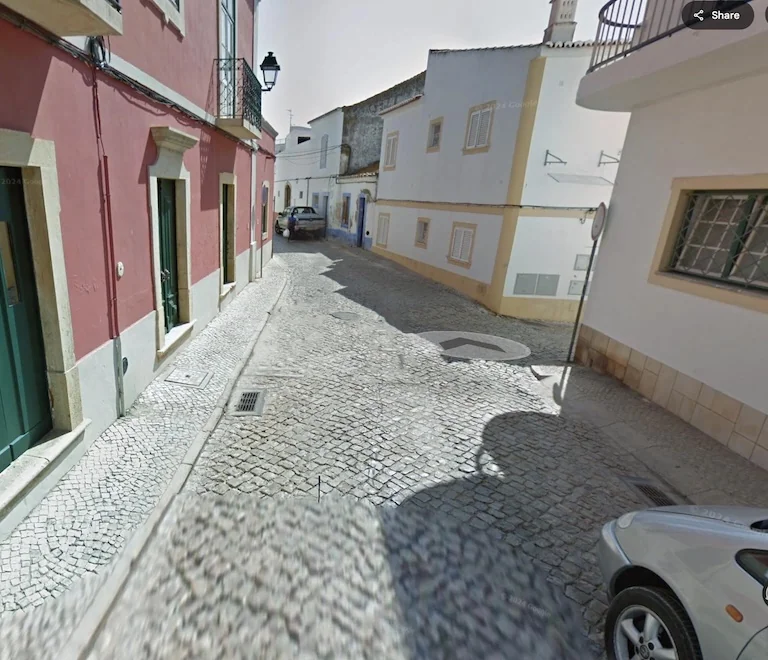
Visual: A sunny street in Southern Portugal (Algarve).
Logic: Synthesis of architectural and local infrastructure markers.
Question-style searches often come from screenshots, not original camera files. In the Ghana example below, the file does not need EXIF data or an exact online duplicate. The answer comes from the image itself.
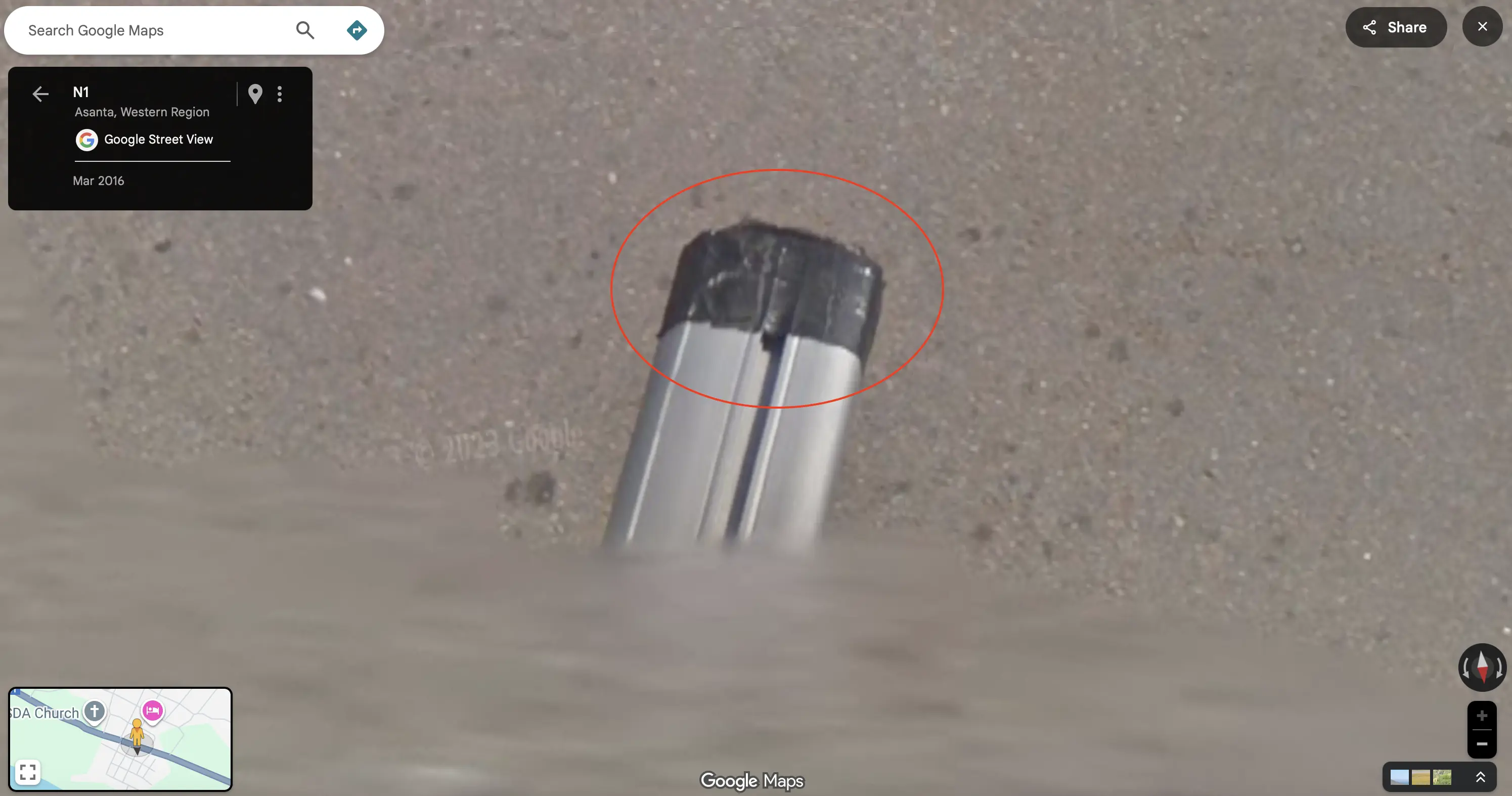
Screenshot-style workflow: the image is solved via the Ghana roof rack meta.
Logic: screenshot-safe geolocation based on visible evidence rather than metadata.
Beyond architecture, our AI uses "Car Meta" to determine where was this photo taken.
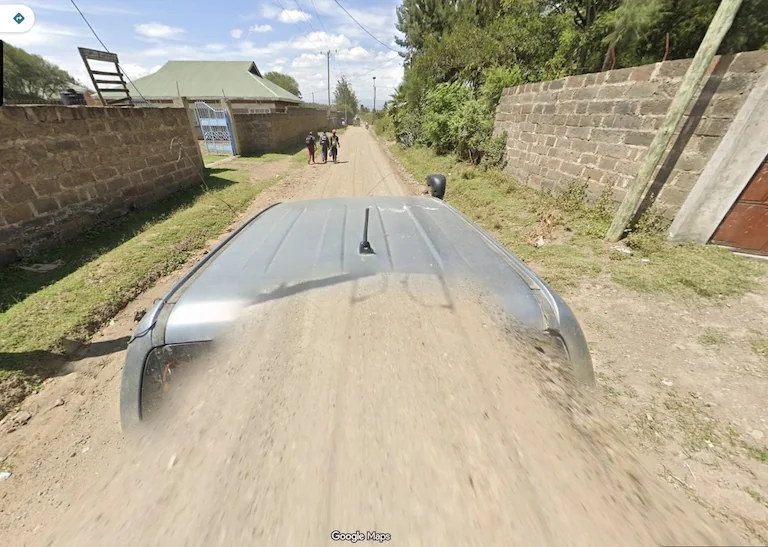
Example: Detecting the "Kenya Snorkel" (air intake) on the Google car.
Logic: Detecting unique vehicle equipment used for specific national coverage.
Our engine is trained on the same "meta" used by experts to answer "where was this photo taken".
To determine where was this photo taken, our AI checks for standardized bollards:
The AI determines where was this photo taken by distinguishing Eucalyptus distribution and reading soil pH colors.
Our technology is designed for Trustworthiness when you ask where was this photo taken:
"Verify distinct locations sent by online contacts to prevent romance scams." Online dating can be risky. If someone claims to be in London but sends a photo with US-style power outlets, our AI will flag the discrepancy. Use our tool to verify the background of photos sent by new online contacts to ensure they are actually where they claim to be.
Confirm if a travel destination looks as good as the brochure. Verify if a hotel's "beachfront view" is actually across a highway.
Find the exact location of an old family photo where your grandparents grew up, even if the buildings have changed, by analyzing the terrain and road layout.
Q. Can I find where a photo was taken without EXIF data?
A. Yes. When you ask where was this photo taken, our AI analyzes pixels and infrastructure. It answers where was this photo taken without hidden metadata.
Q. Can this answer "where was this picture taken" and "where was this image taken" too?
A. Yes. Those are the same core intent. Whether you ask where was this picture taken, where was this image taken, or where was this photo taken, the workflow is the same: analyze visible clues and return the most likely location.
Q. Is the "where was this photo taken" feature unlimited?
A. You can preview key location clues before upgrading. Full location details, complete reasoning, and map access are available with a paid plan.
Q. How does it compare to Google Lens for finding where a photo was taken?
A. Google Lens identifies objects. GeoSolver deduces where was this photo taken. It can identify a rural road by analyzing posts, telling you exactly where was this photo taken.
Uncover the Geographic Truth
Upload your photo and let our AI detective finally answer the question: "where was this photo taken?"
Find Where This Photo Was Taken
Professional-Grade OSINT Technology • Secure & Private • Evidence-Based Reasoning
Continue this topic with the most relevant tools, learnable meta guides, and supporting articles.
Upload a photo, picture, or screenshot and use AI to find its likely location from visible clues. Works without GPS metadata, EXIF, or an indexed reverse image match.
Use reverse image search for location when Google Lens, TinEye, or EXIF fails. Upload a photo and find where it was taken from visual clues.
Upload a shared, private, or social picture to find where it is from. Best for screenshots and pictures with no metadata or public reverse image match.
Master the most reliable meta in Geo Games. A complete guide to identifying countries by their traffic bollards.
Master Google Street View car meta for GeoGuessr. Identify countries by snorkels, roof racks, tape, mirrors, antennas, camera generations, and car blur.
Identify GeoGuessr bollards by country with visual examples for France, Poland, Denmark, Germany, Italy, Peru, Australia, and more.
Compare free Picarta alternatives for photo geolocation, screenshots, image location finding, reasoning quality, and pricing.
Grok can analyze uploaded images, but it is not a Google Lens-style reverse image search index. See what works, what fails, and the best workaround.
Our AI analyzes visual clues to estimate where the image was taken
Drag, paste, or click to upload your image